NASA Psyche VR Museum
An immersive VR experience translating real asteroid data into interactive art, in collaboration with NASA's Psyche mission.
My Role
Lead Frontend Developer Lead Designer
Timeline
Sep 2025 - May 2026
Status
Shipped
Skills / Tools
Unity Figma Spatial Design Immersive Design (VR / XR)
Context
NASA Psyche Inspired — bringing art & creativity to space.
Psyche Inspired is a national student art program associated with NASA’s Psyche mission. Its purpose is to help communicate the mission’s science, engineering, and exploration themes to the public through original creative work. The program serves as a public engagement initiative, using art and creativity to make the Psyche mission more accessible to broader audiences.
Our Challenge
Turning 400+ artworks into an immersive VR experience
The NASA Psyche mission has a growing collection of student-created artwork that translates space science, engineering, and exploration into creative forms. With hundreds of works across different mediums, the project needed a more immersive way to organize, present, and experience the collection beyond a traditional gallery format.
Guiding Question
How might we design an immersive VR showcase that helps public audiences explore Psyche artwork in a way that feels engaging, accessible, and scalable?
My Contribution
I lead the complete frontend experience end-to-end, with sole ownership of UX research, branding/style direction, design system, UI design, and Unity implementation. All work shown in this case study is my own.
Research
Translating partner requirements into UI decisions
To define the frontend direction, I gathered requirements from our project partner and translated their pain points into interface decisions. The biggest concern was that the VR showcase needed to work for public events, where many visitors may be trying VR for the first time and may only have a few minutes to engage with the experience.
Through partner input, I identified several pain points: users could not rely only on audio instructions in noisy event spaces, novice VR users may struggle with complex controller inputs, and event staff needed simple ways to pause, restart, and reset the experience between sessions.
Ideation
Mapping the frontend experience
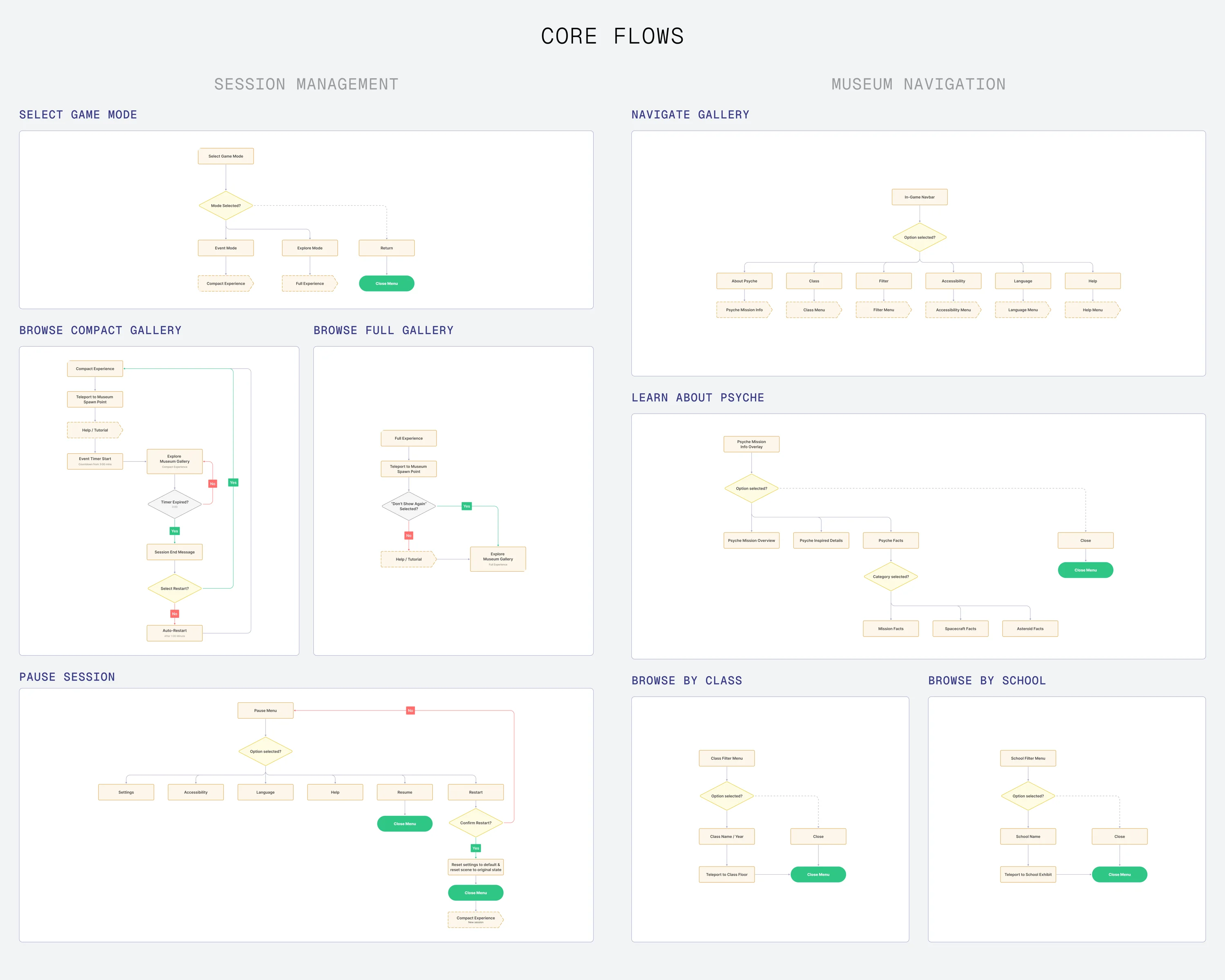
Using these insights, I translated the main pain points into core user tasks, then mapped those tasks into the key frontend flows the interface needed to support.
Navigation Flows
Design
Designing for Clarity, Comfort, and Immersion
Once the flows defined what the UI needed to support, I used sketches to explore how each screen should be laid out. This helped me translate navigation logic into early interface structures before moving into high-fidelity design.
From Sketches to Wireframes
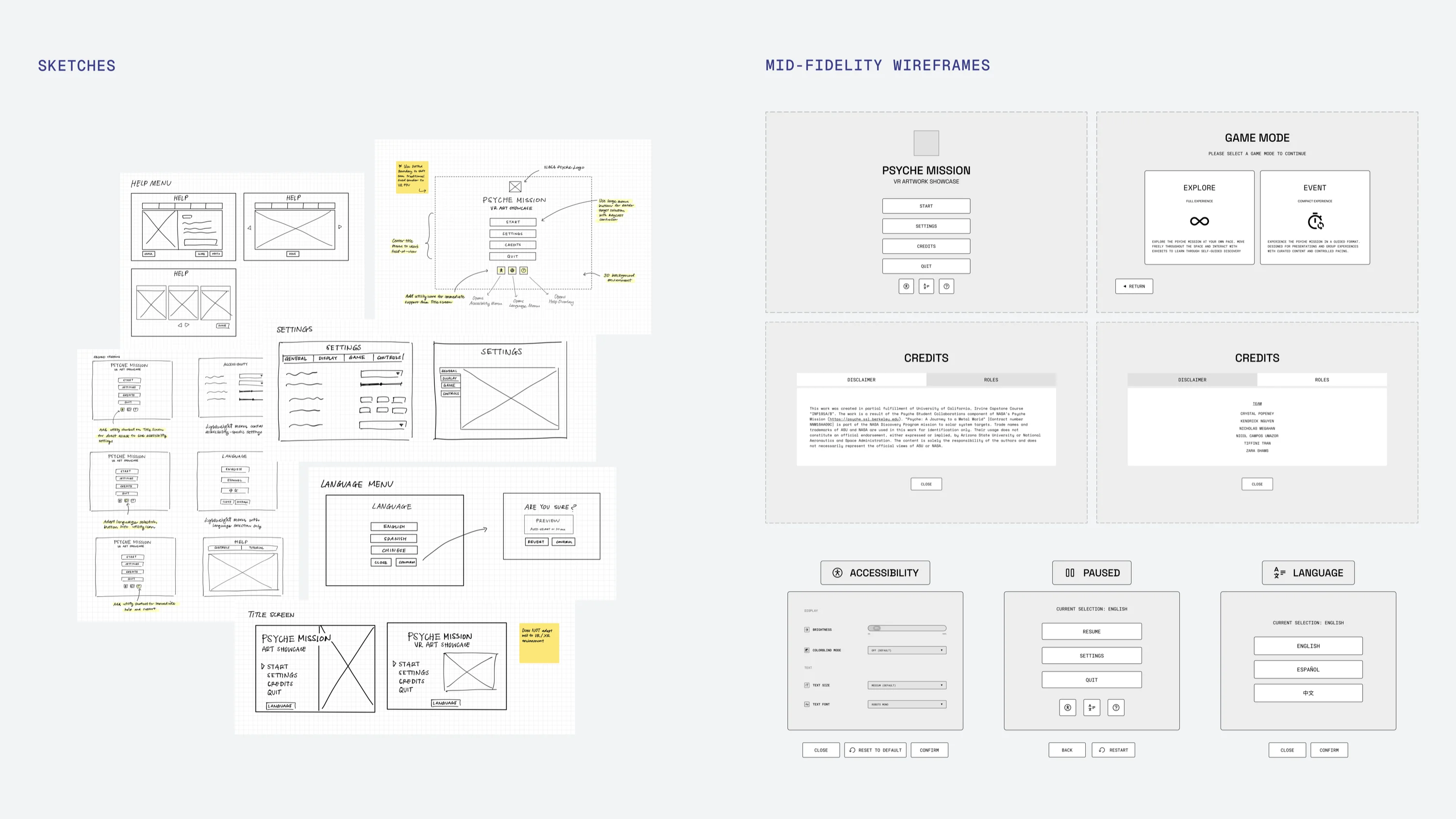
Examples of a few exploratory sketches and early wireframes.
Early lo-fi sketches helped me quickly map out layout options and spatial hierarchy before committing to anything. From there, I moved into mid-fidelity wireframes to define structure, spacing, and interaction patterns more concretely.
Design System
With the screen structure defined, I moved into visual design by shaping a UI style that felt aligned with the NASA Psyche mission while still being functional in VR. I focused on creating a polished, space-inspired interface that supported readability, clear hierarchy, and lightweight interaction without distracting from the artwork.
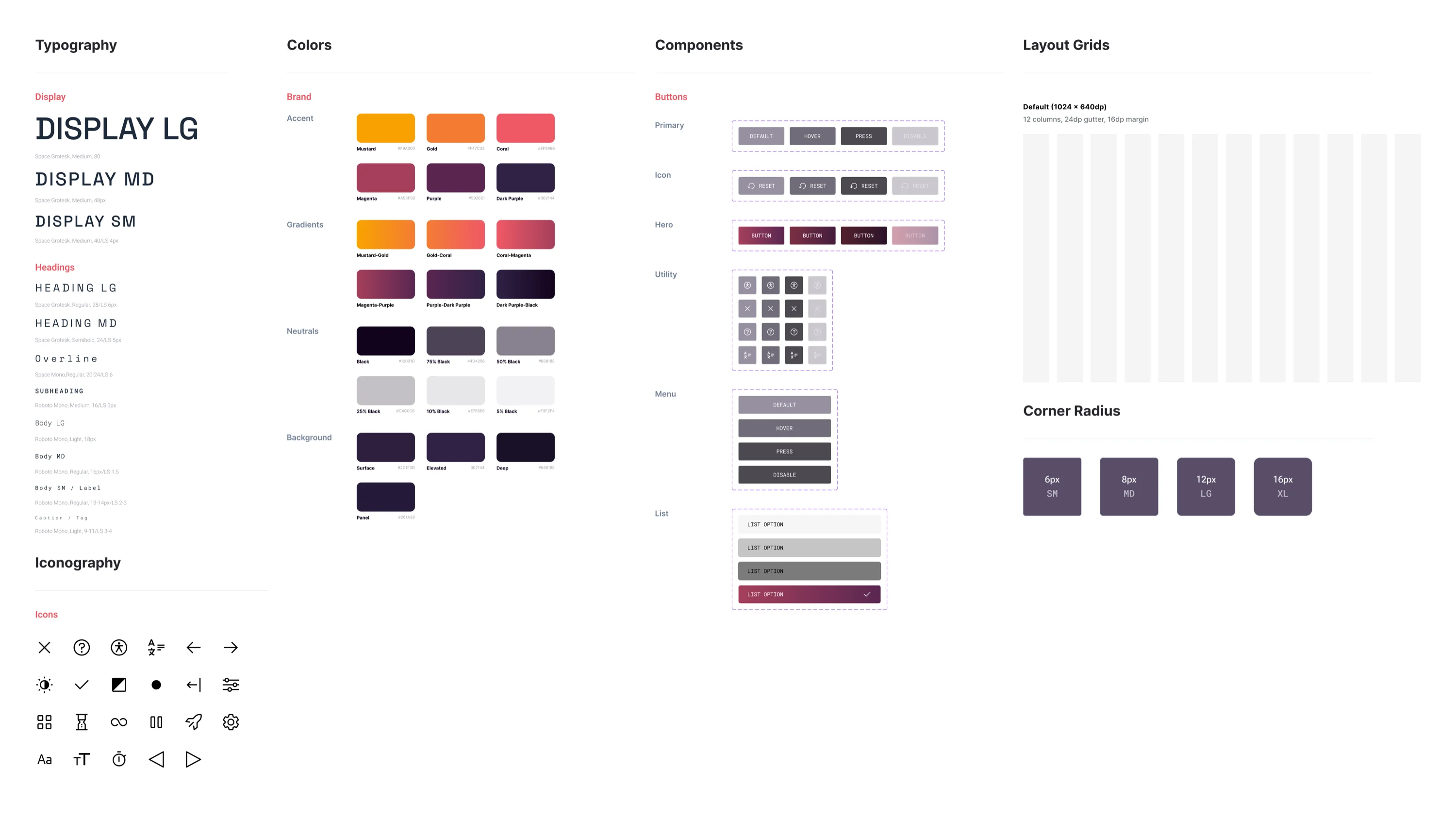
Design system preview with colors, typography, iconography, and button components.
Solution
Putting it all together
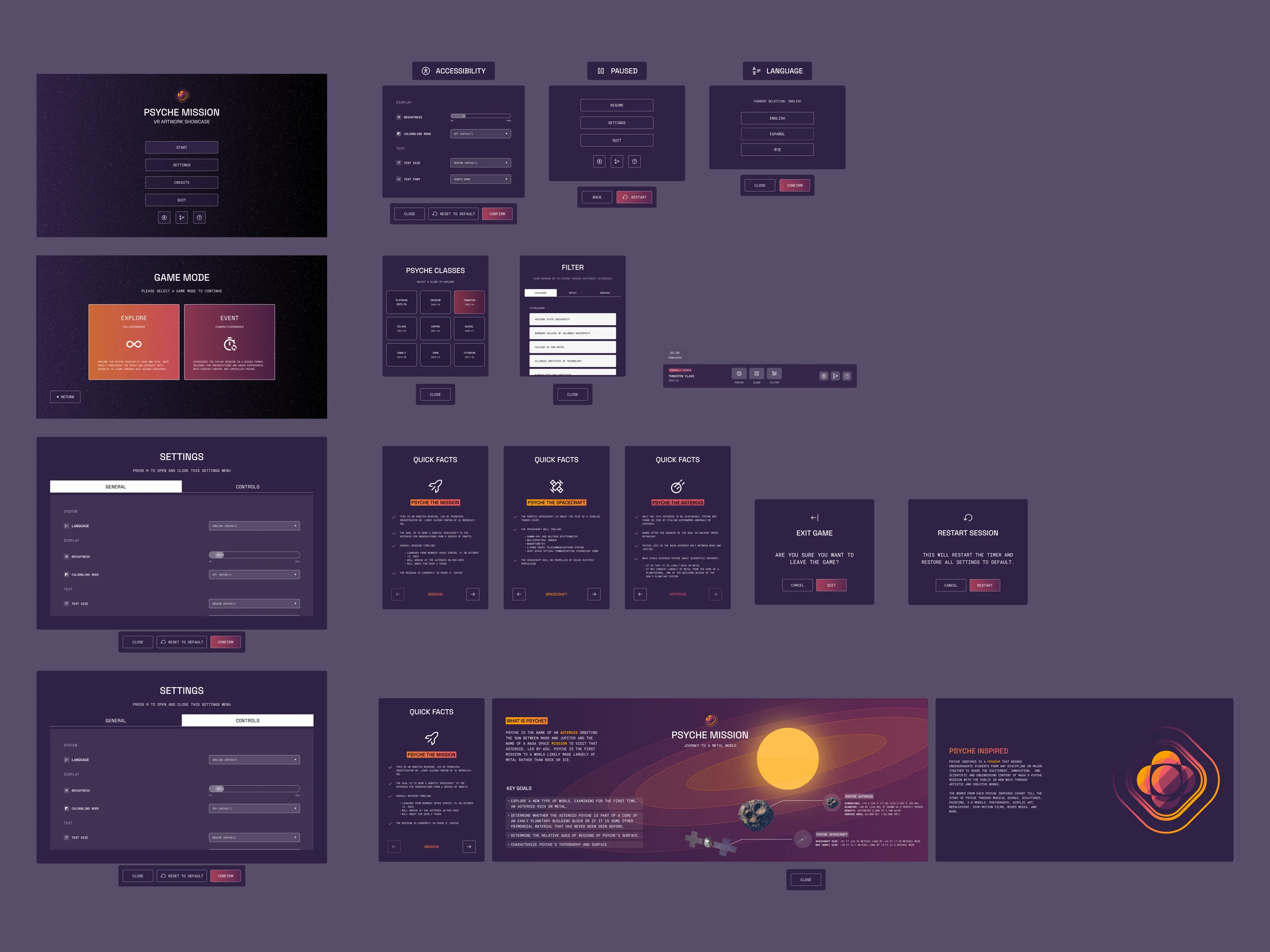
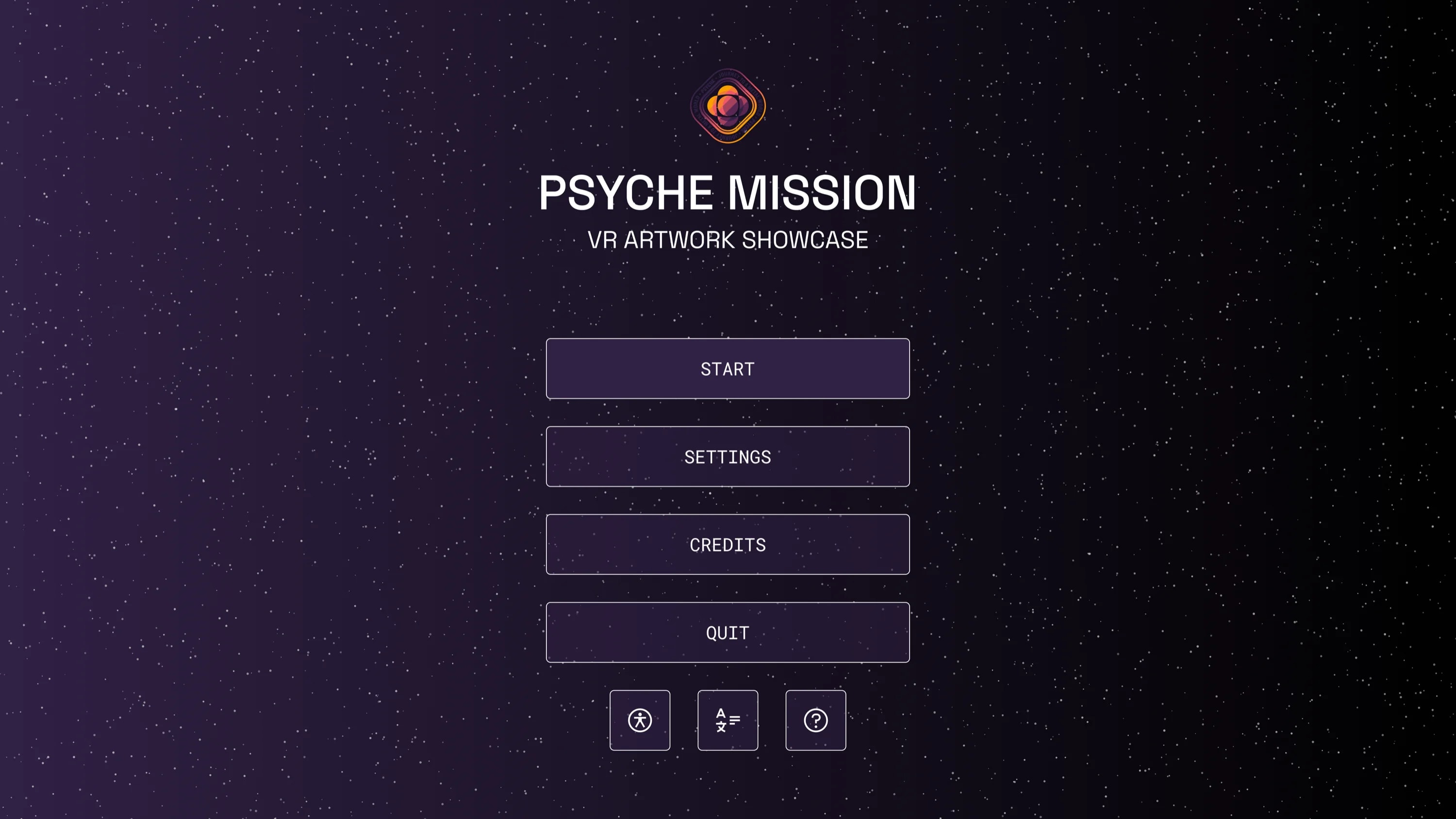
Title Screen
Centered title screen creates a clear VR entry point with immediate access to start, help, language, and accessibility tools.
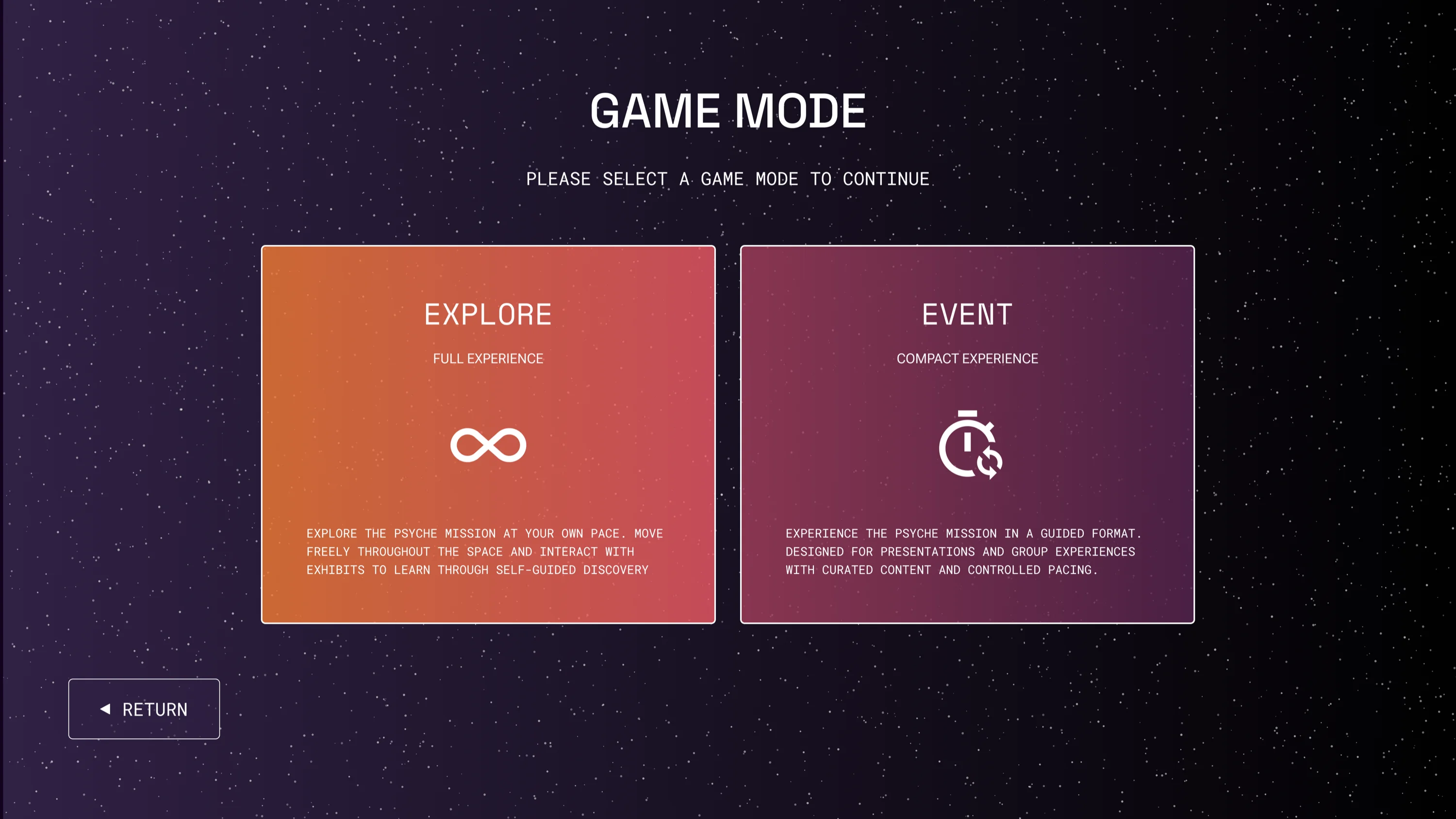
Game Mode Selection
Clear mode selection supports both self-guided exploration and quick public event sessions.
In-Game Navigation
Persistent in-game navbar for quick access to help, accessibility, language, filters, and session controls.
Implementation
From Figma to Unity
With the high-fidelity designs finalized in Figma, I moved into Unity to build the UI as a live interactive system. I reconstructed every screen including layouts, typography, buttons, and transitions — all natively inside of Unity's 3D environment.
The main challenge was preserving visual fidelity in VR. Colors, spacing, and type that worked in Figma often needed headset testing and tuning on the Meta Quest 3 to ensure readability and interaction comfort.
Title scene implemented in Unity, matching the Figma design.
In-game menu system running live in the VR environment.
Reflection
What I learned designing for an unfamiliar medium
Designing for 2D when the medium is 3D
My biggest challenge was breaking out of screen-based design habits. I often approached layouts the way I would a webpage, but depth, gaze comfort, and controller interaction change what works. A lot of early decisions had to be revisited once I was actually in the headset.
Learning Unity while building in it
This was my first time working in Unity. Much of the time I expected to spend on design iteration went toward understanding the environment itself — which compressed the feedback loop more than I anticipated.
What I'd do differently
Spend more time prototyping in-headset from the start. The medium shapes what works in ways that Figma can't fully surface, and testing earlier would have saved significant rework later.